# Connect to Ape Factory

To Connect to the ApeFactory dApp, click the link below to open the dApp:\
\
<https://apefactory.fun/>\
\
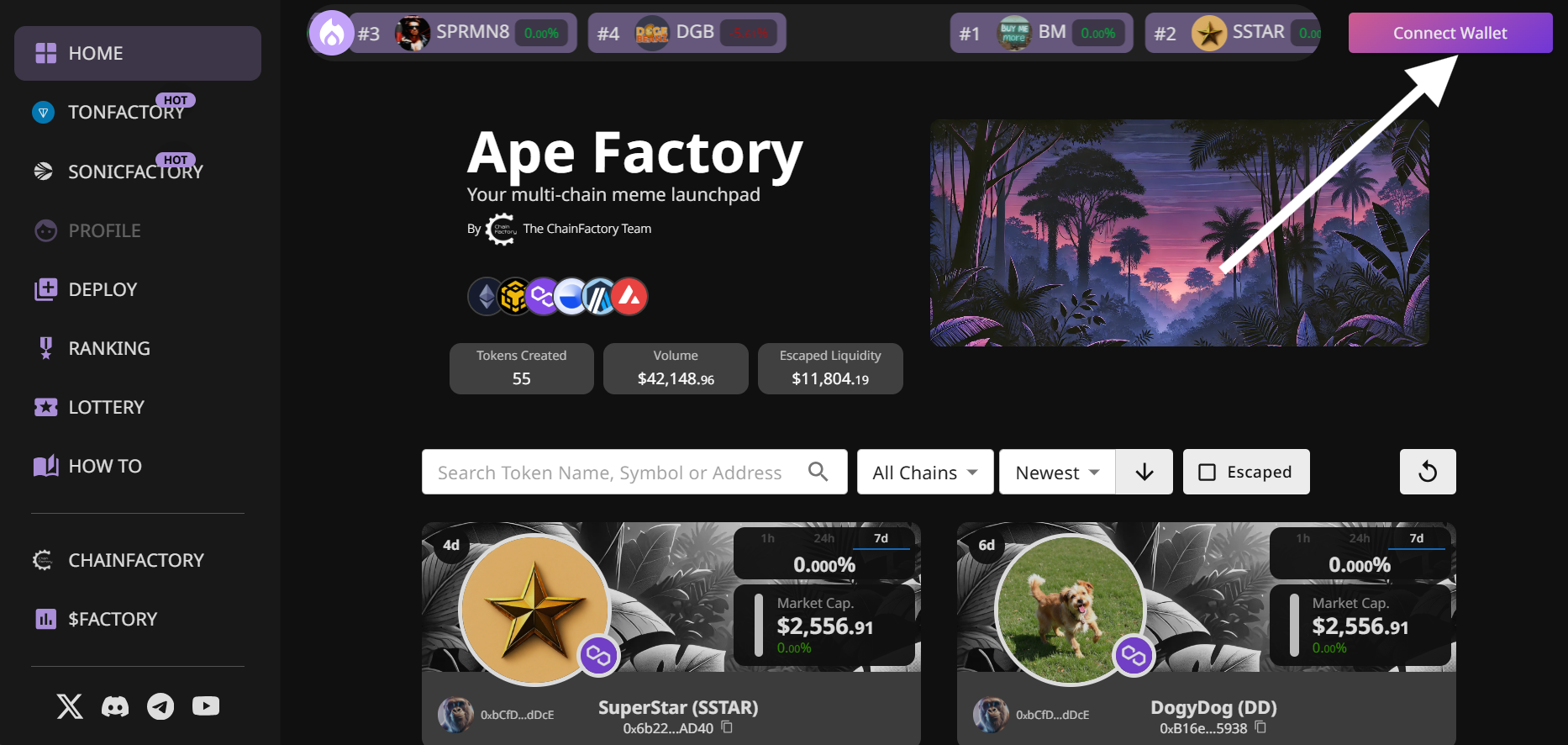
You should see the dApp (example below).

<figure><img src="https://1374836636-files.gitbook.io/~/files/v0/b/gitbook-x-prod.appspot.com/o/spaces%2FroG3SIlPyZhHDXv1Hfwc%2Fuploads%2FWAJbmfzgJAOWCDmoFiwE%2Fimage.png?alt=media&#x26;token=7d84065c-0fa3-4bd8-b5a5-91fc839a9138" alt=""><figcaption></figcaption></figure>

To Connect to the dApp, click on the "Connect Wallet" button in the top right corner as shown in the image above.\
\
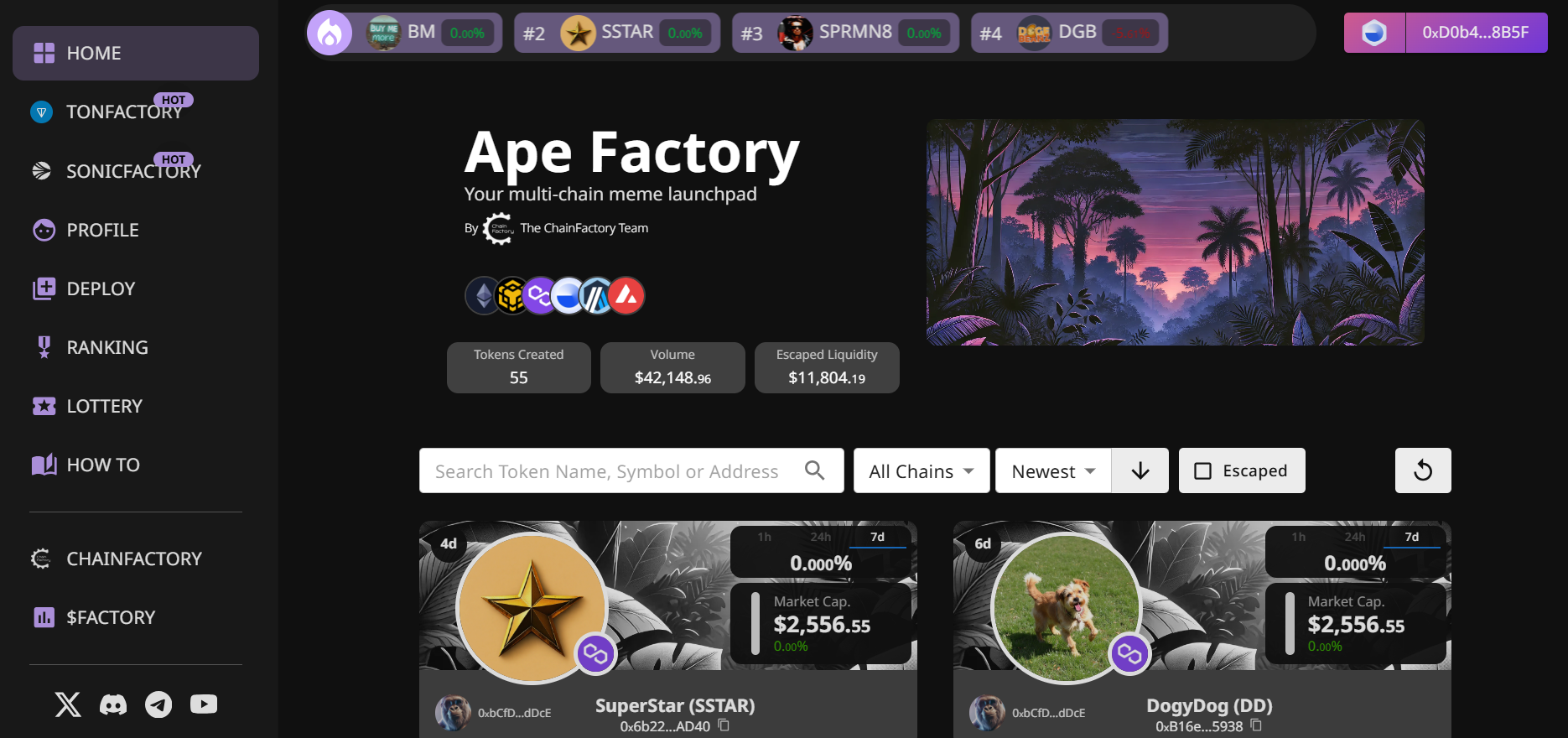
Thereafter, it should show as below with the connected chain icon and parts of your wallet address (the first few and last 4 digits).

<figure><img src="https://1374836636-files.gitbook.io/~/files/v0/b/gitbook-x-prod.appspot.com/o/spaces%2FroG3SIlPyZhHDXv1Hfwc%2Fuploads%2F7Mv1BVgArccxrOhIfP0Z%2Fimage.png?alt=media&#x26;token=a2f9bc77-1d45-4dc8-b534-f6fe60727fb8" alt=""><figcaption><p>Connected Chain on the Left, and Wallet details on the Right</p></figcaption></figure>

<figure><img src="https://1374836636-files.gitbook.io/~/files/v0/b/gitbook-x-prod.appspot.com/o/spaces%2FroG3SIlPyZhHDXv1Hfwc%2Fuploads%2FufD6ABaFyEZlWrZ7se1E%2Fimage.png?alt=media&#x26;token=9958c639-a71a-472f-8f1e-2db329a397dd" alt=""><figcaption><p>Wallet Connected</p></figcaption></figure>

Now that you're connected, let's move on to the next step - deploying your memecoin! (edited)